
Machine Embroidery Formats
This post may contain affiliate links which won’t change your price but will share a commission.
Day 2 of my month long series, All About Machine Embroidery, will introduce the first necessary term you will need to know.
You cannot talk about machine embroidery without using computer terms.
And, one of the most important terms to understand when shopping for an embroidery machine is Format.
Sewing machine manufacturers have created different formats for embroidery machines to read. They look like this: .art, .pes, .hus, .vip, .exp, .dst, .jef, .sew, plus a few others.
These different formats are a machine embroidery language that particular brands of machines read. The most common format is .pes which is read by Babylock and Brother machines. Bernina machines read .art and .exp., etc.
If you look at the different manufacturer’s online, you will see the machine’s format listed as a feature.

When shopping for an sewing/embroidery machine you will want to ask the question: What format does this machine read?
Now, almost every sewing/embroidery machine comes loaded with embroidery fonts and designs in a format the machine will read.
Lower end machines may come with 2 or 3 built-in fonts plus 70 different designs. Higher end machines may have 7-10 built-in fonts plus 500+ different designs.
You can happily machine embroider using only the factory-loaded fonts and designs; however, there will come a day when you see a design set you love and want to embroidery it. (affiliate)
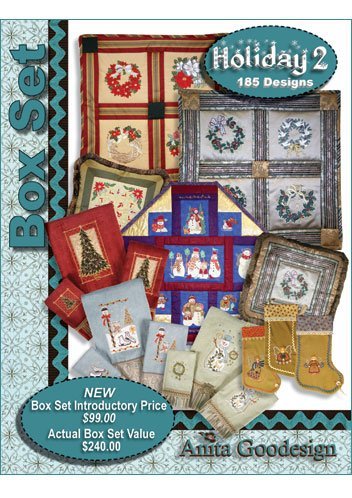
When shopping for designs, you will need to be familiar with your machine’s format. Then, check the product description to see what formats are available with the design set.
Below is a pumpkin machine embroidery applique design for sale. If you are wanting to purchase an individual design like the one below, you would want to look at the portion I’ve circled in red.
There, it says ‘file formats’ which means that when you purchase this design, a digital file will be sent to you in all of these formats. If your machine is able to read one of these formats, then you will be able to stitch it out on your machine.
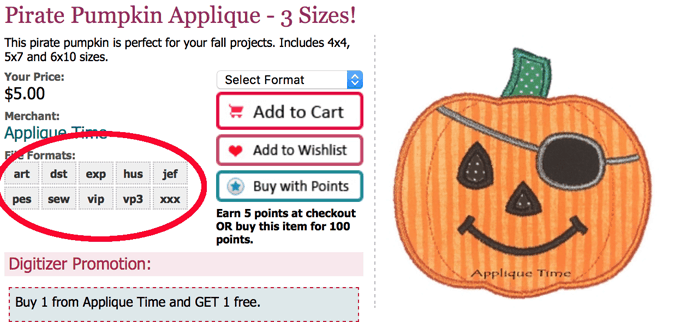
As long as you are using only the fonts and designs that are loaded onto your machine, nothing needs to change. You can embroider all day with a smile on your face.
However, if you start looking at individual designs (like the pumpkin above), or different design sets then you are going to want to know more about software.
And that is tomorrow’s topic.